Videofactory
Videofactory (the Daily Video Factory, at /daily-factory) turns one idea into a whole batch of short-form videos. Type a theme, and Vidiking expands it into up to 50 differentiated videos — different hooks, angles and lengths — then renders them in parallel and bundles them for download.
It's built for creators on the daily-content treadmill: fill a posting calendar in minutes.
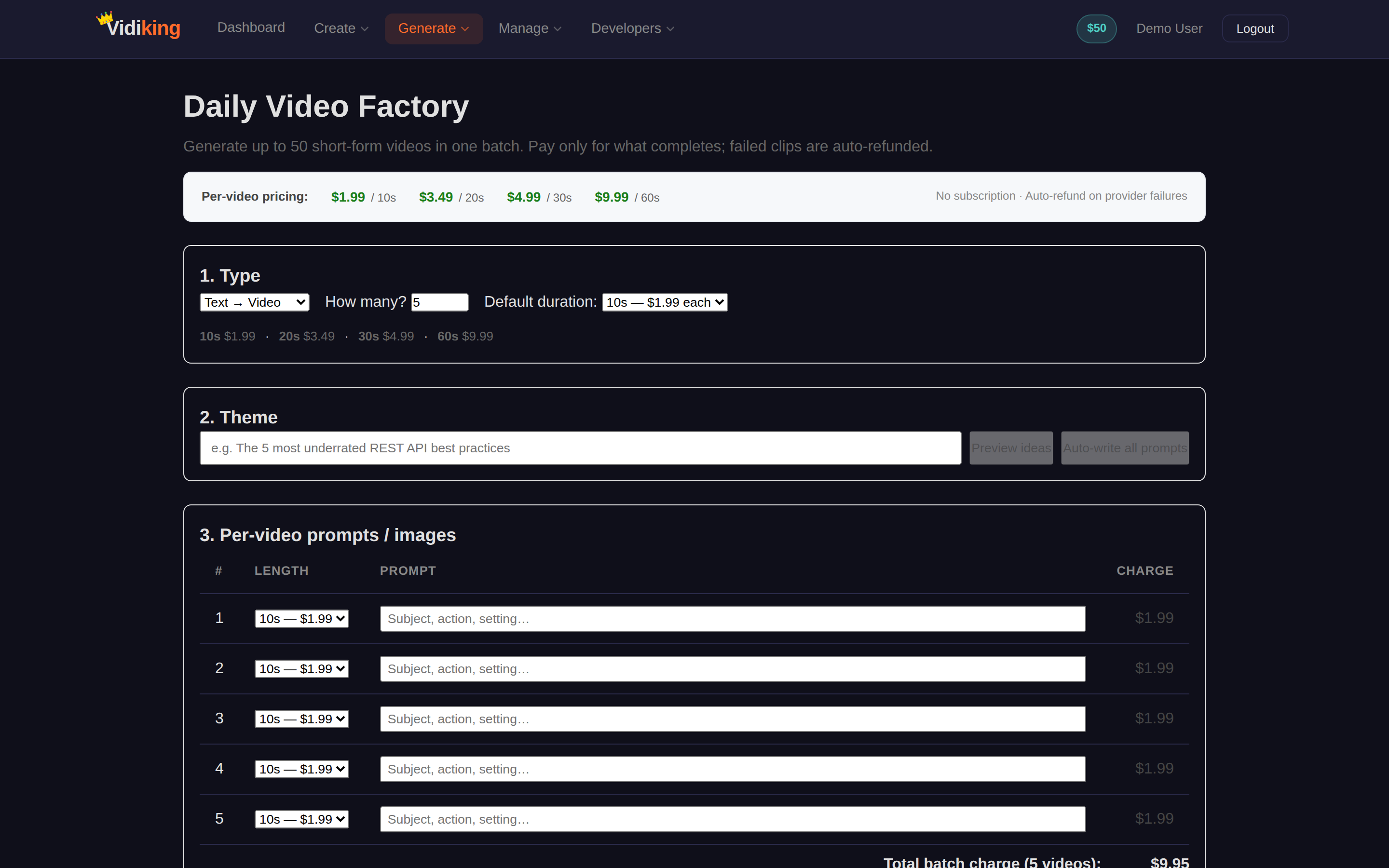
How it works, step by step
1. Choose your mode
- Text → Video — Vidiking generates everything from your theme.
- Image → Video — you bring an image URL per video, and Vidiking animates around it.
Set the count (how many videos, up to 50) and, if you like, flip on a default duration to apply one length to every video at once.
2. Enter your theme
Type a single theme into the Theme box, for example:
The 5 most underrated REST API best practices
Then choose how to fill the batch:
- Preview ideas — see the angles Vidiking proposes before committing.
- Expand theme — auto-fill all the rows with differentiated video ideas (statistic, question, story, list, tutorial, warning, prediction, before/after, challenge, and more).
3. Fine-tune each video
Every video gets its own row where you can adjust:
- Length — 10s, 20s, 30s or 60s (the price updates as you change it).
- Detail / prompt — the specific idea for that video; edit any you want to change.
- Image URL — in Image → Video mode, the image to build that clip from.
4. Generate the batch
The Generate batch button shows the exact total cost (e.g. Generate batch · $9.95) so you know the price up front. Click it to start.
If any individual clip fails, it's automatically refunded — you're charged only for the videos that finish successfully.
5. Watch it render live
A status table shows each video moving through PROCESSING → COMPLETE in real time. As each one finishes you can View / download it individually.
6. Download everything
When the batch is done, click ⬇ Download all videos (ZIP) to get the whole set in one file — complete with a README and posting tips.
Costs & wallet
- Pricing is pay-as-you-go, from $1.99 per 10-second clip — longer clips cost a little more.
- Your Wallet balance is shown on the page; if you're short, use Top up to add funds (see Wallet & Billing).
- The Total charge always reflects your current selections before you submit.
Tips for great batches
- Preview before you commit. Use Preview ideas to sanity-check the angles, then tweak rows you don't love.
- Mix durations. A blend of 10s hooks and 30s explainers keeps a feed varied.
- Reuse winners. Found a theme that performs? Run it again with a fresh count to keep the calendar full.
Next: want a designed starting point instead of generated ones? See Templates.