The Dashboard
The Dashboard (at /) is the first thing you see when you log in. It's your home base: a quick read on your account and a launchpad to every tool.
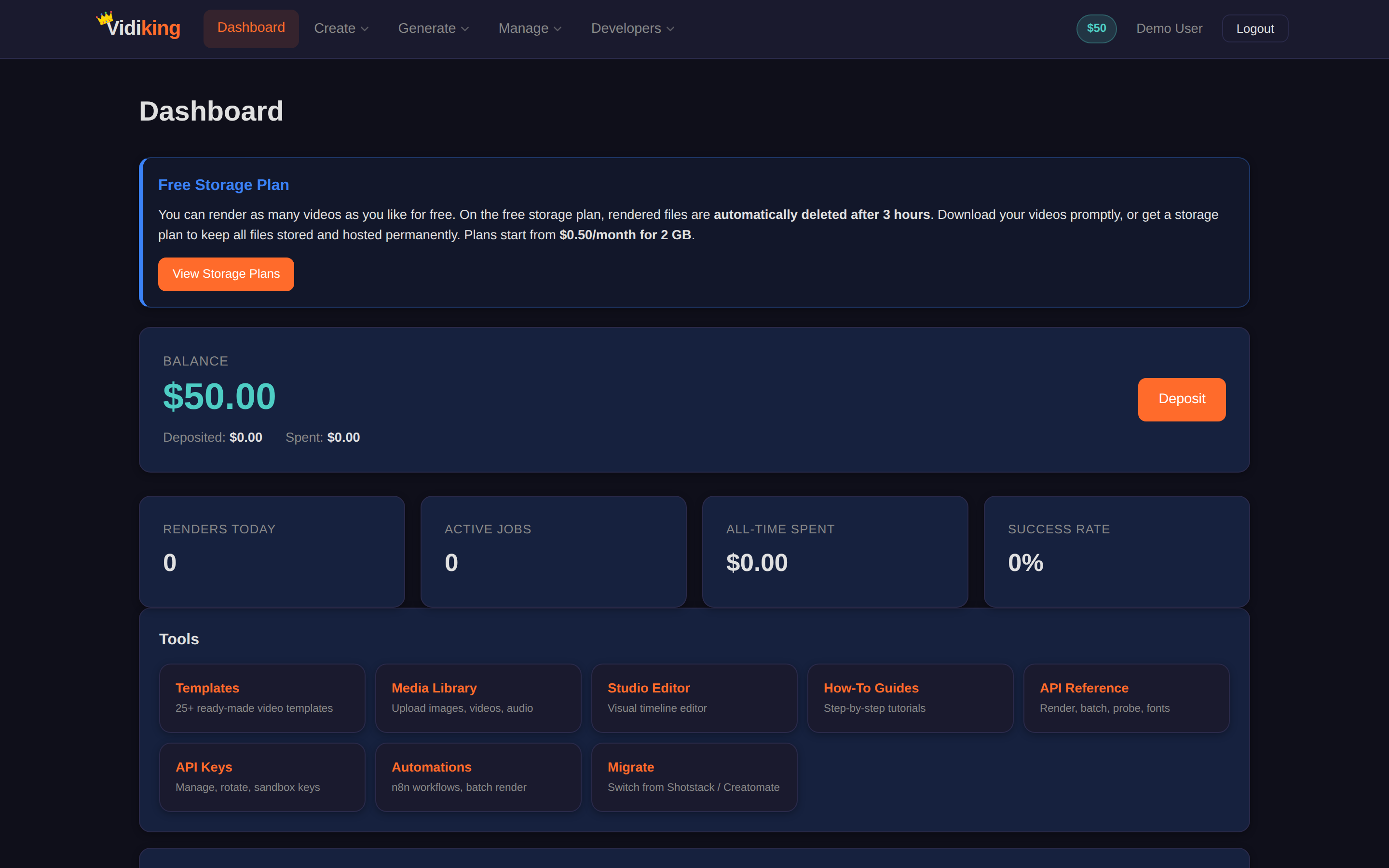
What's on the screen
Wallet & spend
- Balance — funds currently available to spend. Click it (or open Deposit) to top up.
- All-Time Spent and Charged — how much you've used overall.
- Free Storage Plan — your current storage tier; upgrade from the Profile page if you need more room for saved media.
Activity at a glance
- Renders Today — how many videos you've produced in the last 24 hours.
- Active Jobs — anything currently processing.
- Success Rate — the share of your jobs that completed successfully.
Recent Jobs
A live table of your latest jobs showing the Job ID, Status, what was Charged, and a link to the Output. This is the quickest way to grab a file you just made or to check whether a job is still processing.
Statuses
A job moves through queued → processing → complete. If something fails, you are not charged for it — failed work is automatically refunded.
Quick links (the "Tools" area)
The Dashboard groups shortcuts to everything you can do:
- Studio Editor — the visual timeline editor.
- Templates — the template gallery.
- Media Library — all your saved assets.
- Automations — connect Vidiking to your workflows.
- Migrate — bring an existing timeline JSON over.
- How-To Guides — in-app step-by-step tutorials.
- API Keys / API Reference — for when you want to automate.
Common things you'll do from here
| I want to… | Do this |
|---|---|
| Download a video I just made | Find it in Recent Jobs → Output |
| Check if a render is done | Look at Active Jobs / the job's Status |
| Add money | Click Balance or go to Deposit |
| Start a new video | Studio Editor or Videofactory |
| See everything I've created | Media Library |
Next: open Timeline Studio to build your first video by hand.