Content Operations
The Vidiking Content Operations platform turns Vidiking from "a video rendering API" into the system your whole content team runs on. It is the layer that takes a piece of work from idea → request → workflow → plan → creation → approval → publish → report — and it sits on top of the same rendering and AI generation engine documented in the rest of these docs.
If you have used Jira, Asana, Monday or MS Project for planning, and Zapier or n8n for automation, Content Operations combines both — with the actual production (rendering, AI image/video/voice) built in rather than bolted on.
A plan unlocks the Manage workspace. Credits are spent on top, only when an AI job runs.
Once you're on a Basic / Silver / Gold plan, requests, workflows, planning, sprints, approvals, dashboards, teams and publishing orchestration are included — you're only charged credits when a muscle runs (an AI image, video, voiceover, script, or a final render). Each plan includes a monthly credit allotment, and any generation beyond it is pay-as-you-go. See Credits & Billing.
The mental model
Think of the platform as a body:
| Layer | What it is | Cost |
|---|---|---|
| The Gate | Identity → Verification → Credit balance. No AI creation happens unless all three are satisfied. | — |
| The Spine | The Request — every piece of work is a ticket with a ref like VID-2026-000001. | Free |
| The Nervous System | Projects, Workflows, the Gantt, Sprints and Approval gates route the work. | Free |
| The Muscles | AI services — image, video, voiceover, script, render. The only paid part. | Burns credits |
| The Hands | Studio editor assembles layers; Publish pushes to destinations. | Free orchestration |
| The Senses | Activity Log → Operations dashboard, AI Project Manager. | Free |
What's in this section
| Guide | What it covers |
|---|---|
| Getting Started | The full onboarding loop: register → verify → add credit → create a team → invite members → activate → log in → set roles. |
| Requests | Create a request, decompose it into layers, assign work, and post daily standups. |
| Planning, Projects & Sprints | The unified Planning workspace — projects with Tasks/Sprints/Assets/Delivery tabs, the auto-Gantt timeline, and burndown charts. |
| Workflows | Build a drag-and-drop pipeline with executable AI/Publish stages and approval gates. |
| Marketplace | Install an industry workflow pack in one click, or publish your own. |
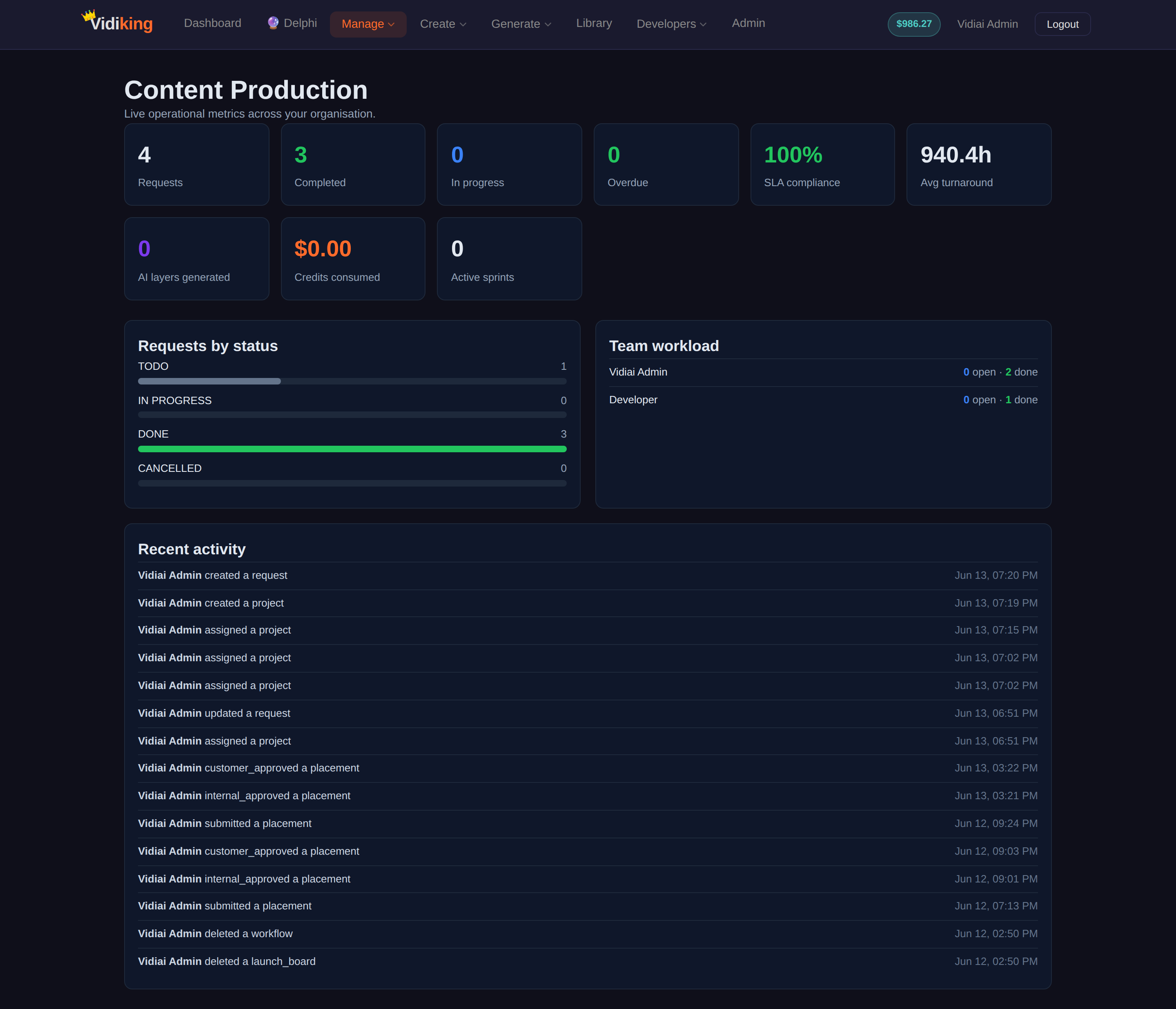
| Operations Dashboard | Production KPIs, status, workload and the activity feed. |
| AI Project Manager | Health score, timeline-risk forecasts, bottleneck and capacity analysis, and an on-demand AI briefing. |
| Roles & Permissions | The seven org roles and exactly what each can do. |
| Credits & Billing | What burns credits (only AI) and what's free. |
| Tutorial: a Product Launch, end to end | One worked example from request → layers → workflow → AI generation → approval → publish. |
Where to find it in the app
Once you log in to vidiking.com, the operations pages live under the Manage menu in the top navigation:
- Planning —
/planning(projects, tasks, sprints, assets, delivery — and the Gantt at/planning/gantt) - Operations —
/operations - Requests —
/requests - Workflows —
/workflows - Marketplace —
/marketplace - Team & Roles —
/team - AI Project Manager —
/ai-pm
New members activate their account at /activate using the magic link or PIN from their invite.
A note on the Gate
AI generation inside Content Operations is gated: the user must be authenticated, have a verified email, and have a credit balance greater than zero. Planning, assigning, approving, and reporting are not gated — anyone with the right role can do them whether or not their email is verified. If a "⚡ Generate" action returns a permission error, check email verification and wallet balance first. See Credits & Billing.