API Keys & Console
The API page (at /api) is where you get the keys that let other tools and your own code talk to Vidiking — and where you can try any endpoint live, right in the browser.
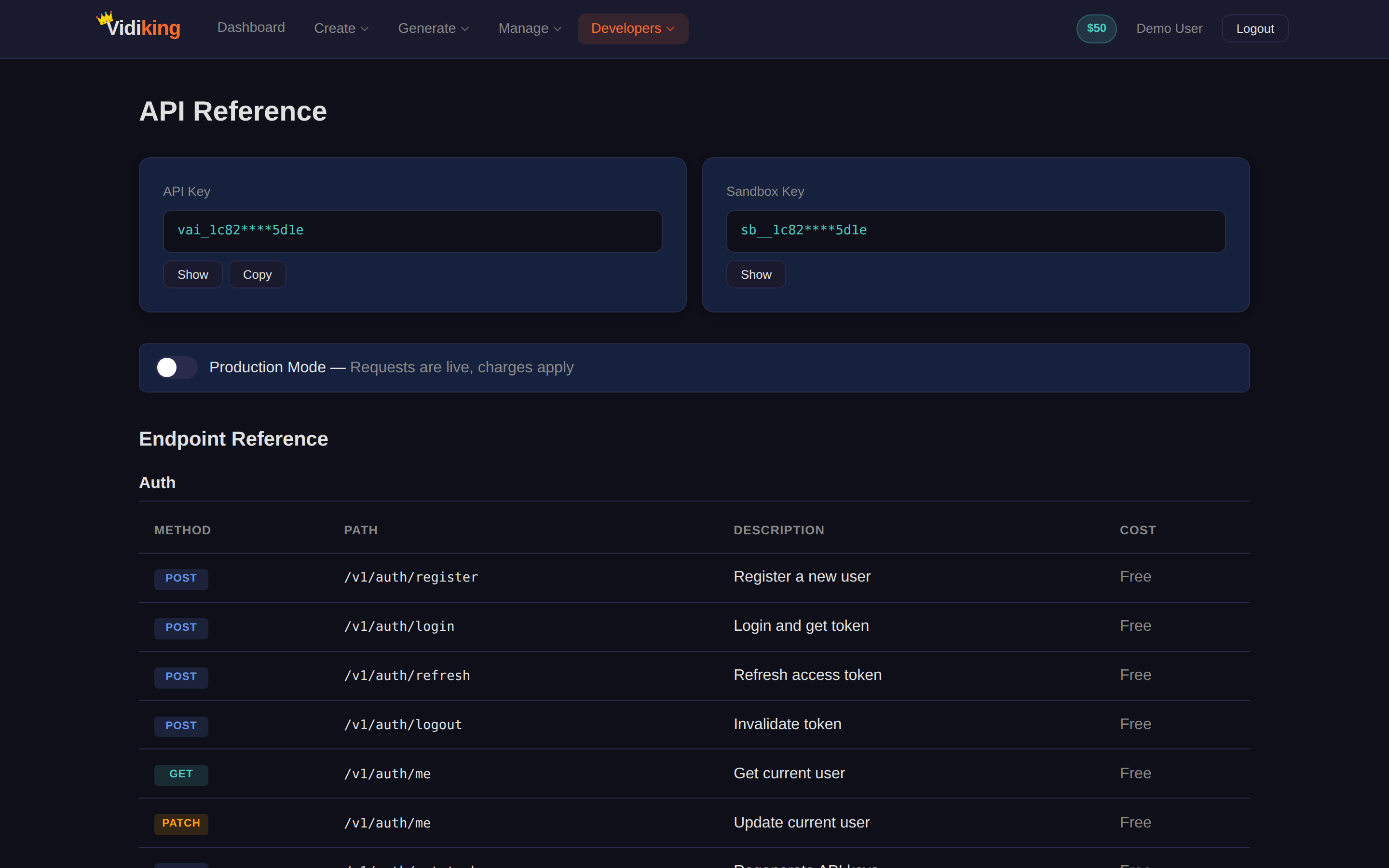
Your API keys
At the top of the page you'll find your keys:
- Production key — for live work that spends your wallet balance.
- Sandbox key — for free, watermarked testing.
Your API key is like a password — anyone with it can spend your balance. Never commit it to public code or share it. If a key is ever exposed, use Rotate keys to regenerate it instantly (the old one stops working).
The interactive console
The page lists every endpoint grouped by what it does — generate images, render video, create voiceovers, manage jobs, check your wallet, configure webhooks, and more. For any endpoint you can:
- Select it from the list to see its method, path, description, and cost.
- Edit the request body in the editor (it's pre-filled with a working example).
- Click ► Execute to send the call using your key.
- Read the Response — the HTTP status and the JSON Vidiking returns.
This is the quickest way to understand exactly what a call returns before you wire it into your code or an automation.
Switch to your sandbox key in the console to experiment for free. When the response looks right, swap to your production key.
What you can do from here
| Category | Examples |
|---|---|
| Generate | AI image, edit image, video from prompt, animate image to video, voiceover, script |
| Render & jobs | Submit a render, get job details, bulk status check, estimate cost, cancel a job |
| Account | Get current user, wallet balance, usage statistics and history |
| Templates | Get template details, fork a template |
| Webhooks | Create, edit and delete webhook configs |
| Auth | Login, refresh, logout, rotate keys |
Going further
Once you've found the calls you need:
- Read the full Quick Start to make your first call from code.
- Browse the API Reference for every parameter.
- Use one of the SDKs (Node, Python, PHP, Ruby) for a typed client.
- Set up Webhooks so Vidiking notifies you when a job finishes.
Next: wire Vidiking into your tools with Automations.